Category-Based App Design Flow — Why Not All Apps Should Look the Same
Design is not about taste. It is a structure that shapes user trust and behavior—and AppBuildChat implements it based on app categories.
Posted by: Ryan Ross
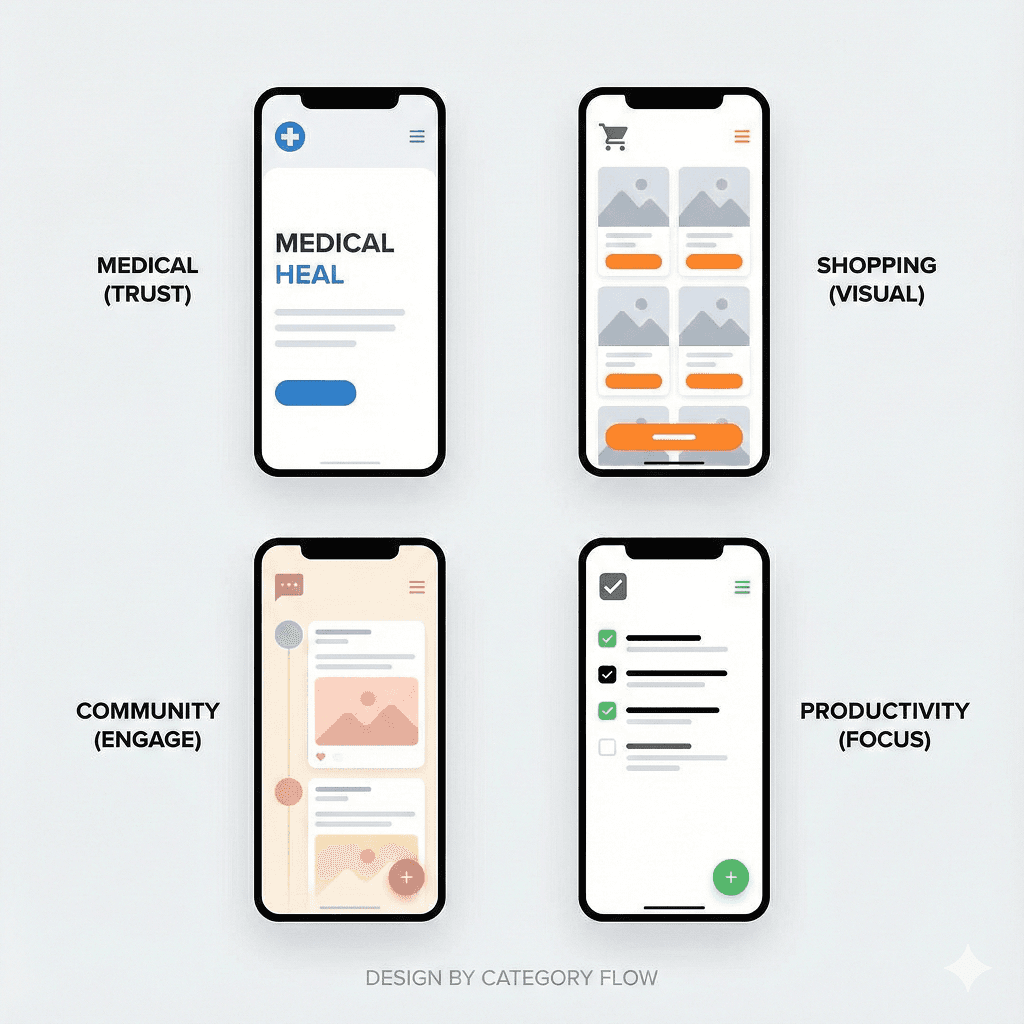
What does app design actually determine?
App design is not simply about making screens look nice.
Design determines how users feel the moment they open the app, how long they stay, and what they do next.
That is why app design must begin not with colors or components, but by defining what category the app belongs to and what expectations users bring with them.
Decision framework: Why app category determines design
The moment users open an app, they subconsciously ask:
- “Can I trust this?”
- “What is this app meant to help me do?”
- “What should I tap right now?”
An app’s category defines how these questions are answered.
Design, therefore, is not about personal taste or trends—it is a behavior-guiding structure aligned with the category.
Examples of category-based design flows
Medical & Healthcare Apps
The core of medical apps is trust and stability. Users want to understand information accurately, not consume it quickly.
- White and light-toned color schemes
- Spacious layouts with generous margins
- Clean, linear, well-organized UI
- Minimal animations and decorative elements
This design makes users feel they are in a professional and reliable space.
E-commerce & Shopping Apps
The goal of shopping apps is clear: show products well and make selection easy.
- Card-based UI centered around product images
- Prices, benefits, and reviews visible at a glance
- Natural, scroll-based exploration flow
- Design that directs attention to products, not itself
Design should not stand out—it should never interrupt purchasing decisions.
Community & Social Apps
The core of community apps is retention and interaction.
- Soft boundaries between content
- High-contrast text for readability
- Clearly positioned like, comment, and share buttons
- Feed structures that do not interrupt flow
This design creates the feeling of “I want to keep scrolling.”
Productivity & Task Management Apps
For productivity apps, minimizing cognitive friction is critical.
- Minimal use of unnecessary colors
- Function-focused, simple UI
- Clearly distinguished buttons and states
- Fast flows optimized for repetitive actions
This design helps users act immediately without thinking.
Why category-agnostic design feels wrong immediately
If a medical app is overly flashy, users feel anxious.
If a shopping app is too plain, exploration stops.
Users may not be able to explain why—but they immediately sense when something feels off.
The moment design conflicts with category expectations, trust and immersion collapse at the same time.
How AppBuildChat applies category standards to design
At AppBuildChat, design does not start with “make it look nice.”
We first define the app’s category and the situation and intent with which users open it.
Then we identify the core functionality the customer wants and examine how that function should operate at the center of the user experience.
Based on this, AI designs a category-appropriate base UI tone and screen structure, prioritizing flows that naturally surface core functionality.
For example:
- Apps focused on records prioritize fast input and review
- Apps focused on exploration prioritize content visibility
Next, the Human QA Layer reviews the flow from a real user perspective—removing unnecessary steps, refining transitions, and adjusting design so the app’s unique identity becomes visible.
What matters here is not trend-driven design, but one key question:
“Is this design the best possible match for what this app is meant to do?”
That is why, even with the same features, AppBuildChat apps differ in button placement, transitions, and emphasis depending on user needs and service direction.
These small, function-centered differences accumulate into a unique design flow tailored to each customer.
Good design is design that fits
Great app design is not visually loud—it works naturally without explanation.
This is not a matter of taste, but the result of accurately understanding category expectations and user intent.
AppBuildChat places this principle at the center, implementing category-aligned design flows through a Human + AI collaboration.
Summary
App design is not about preference—it is about designing user behavior based on category expectations.
Medical, shopping, community, and productivity apps require fundamentally different flows.
AppBuildChat builds design around these category standards. Good design is the design that fits best.